Smart Time-Based SMS Scheduling
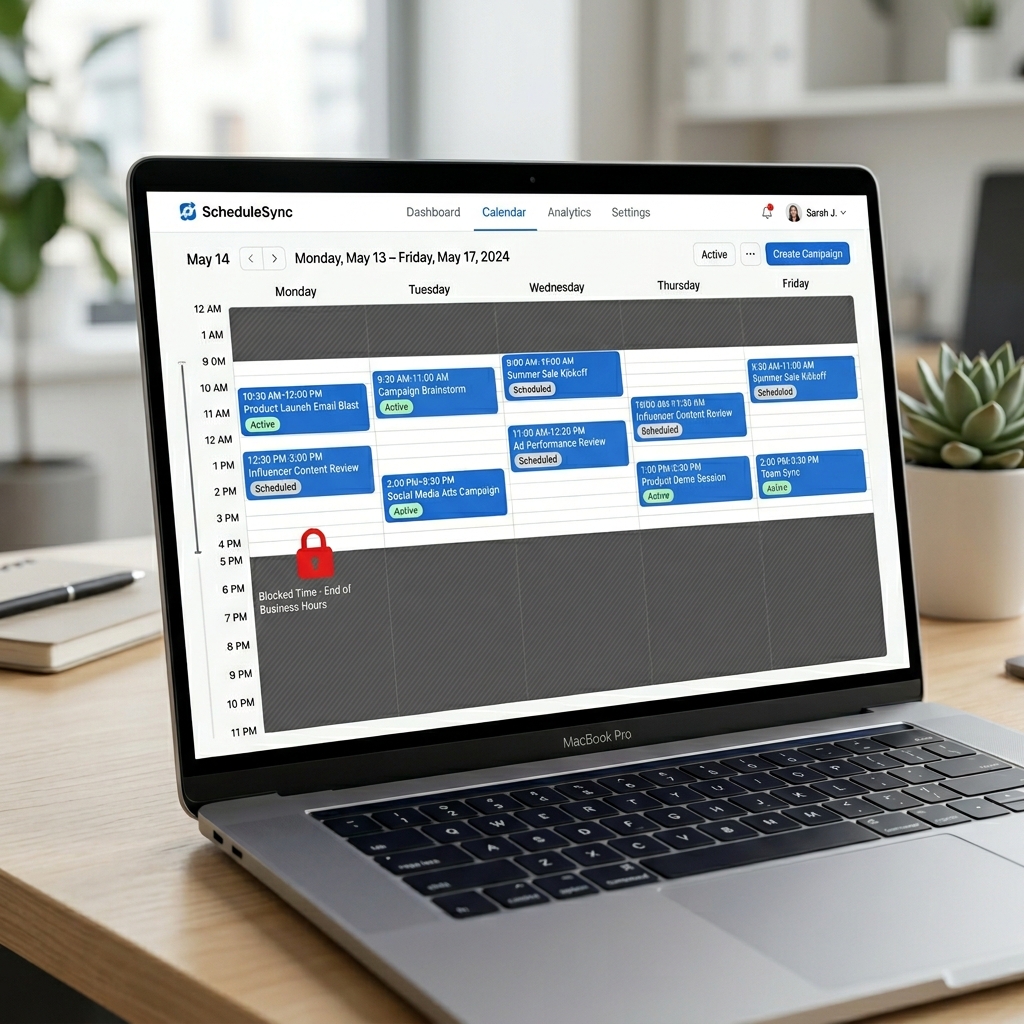
Deliver your bulk SMS campaigns only within approved hours and days. Automatically pause and resume sends around your audience's active windows — without manual monitoring.
The Problem
Off-Hours Messages Kill Campaigns
Sending SMS at 2 AM frustrates recipients, inflates opt-out rates, and can put your business in violation of TCPA and carrier guidelines. Without time controls, a large campaign can blast thousands of messages during restricted hours before anyone notices.
Manual monitoring is unsustainable. Teams shouldn't have to babysit campaign send times around the clock or worry about compliance breaches from an automated send gone wrong.
The Solution
Intelligent Send Windows with Auto-Pause & Resume
Define exactly when your messages can go out. NumeraLoop enforces those windows automatically — no babysitting required.
Daily Send Windows
Set a start time and end time (e.g. 9 AM – 6 PM). NumeraLoop only delivers messages within this window, automatically holding the queue otherwise.
Day-of-Week Restrictions
Choose which days your campaign is active — weekdays only, business days, or any custom combination. Prevent accidental weekend sends.
Auto-Pause & Auto-Resume
When the send window closes, the campaign pauses automatically. When the window opens the next day, it resumes from where it left off — no manual action needed.
Multi-Day Campaign Support
Large campaigns spread naturally across multiple days within your allowed windows, keeping send volume manageable and carrier-compliant.
Compliance-First Design
Time windows are enforced at the infrastructure level, not just as a UI suggestion. Your campaigns stay within TCPA-friendly hours automatically.
Real-Time Queue Visibility
See exactly how many messages are queued, in-progress, and completed for the current window from your campaign detail view.
How Time-Based Scheduling Works
Create Campaign
Set up your bulk SMS or MMS campaign, choose contacts, and write your message.
Set Send Window
Define daily start/end times and select which days of the week the campaign is allowed to send.
Launch
Start the campaign. NumeraLoop immediately begins sending within the current window if one is active.
Auto-Manage
Campaign pauses when the window closes and resumes automatically next window — until all messages are sent.
The Outcome
The Impact of Smart Scheduling
↓ Opt-outs
Fewer opt-outs from off-hours messages
100%
Automated window enforcement — no manual monitoring
TCPA
Compliant sends within approved hours
Frequently Asked Questions
Can I restrict bulk SMS sends to specific days of the week?
Yes. NumeraLoop lets you select which days of the week your campaign is allowed to send — for example, Monday through Friday only — preventing messages from going out on weekends.
What happens if a message is queued outside the allowed time window?
Messages queued outside your configured send window are held automatically and resume delivery when the next allowed window opens. No manual intervention needed.
Does time-based scheduling work across multiple time zones?
The scheduling window applies based on your campaign configuration. For multi-timezone audiences, you can segment your contact list and run separate campaigns per timezone.
Can I pause and resume a campaign mid-send?
Yes. NumeraLoop supports auto-pause when a campaign runs outside the allowed window, and auto-resume when the window reopens — keeping your sends compliant without manual monitoring.
Related Use Cases
Take Control of When Your SMS Sends
Set up time-based scheduling and let NumeraLoop manage your campaign windows automatically.
- No credit card required
- 3-day free trial
- Full campaign scheduling access