Personalized MMS with Text Overlays
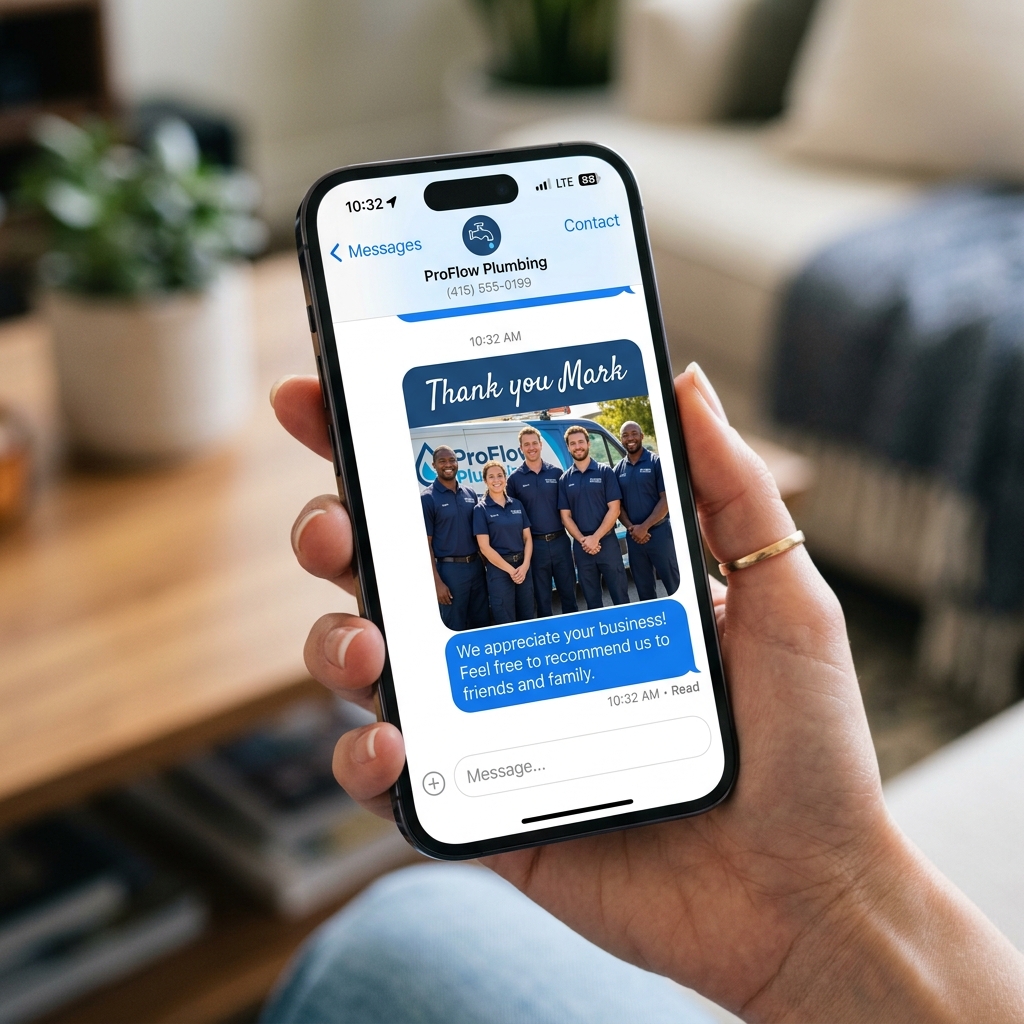
Turn a single image into thousands of personalized visual messages. Add dynamic text overlays — names, offers, dates — directly onto MMS images at scale using Twilio automation.
The Problem
Generic Blasts Don't Convert
Sending the same static image to every contact in your list feels impersonal — and audiences ignore it. Businesses lose revenue because they can't afford to create a custom graphic for every recipient, and plain SMS lacks the visual punch needed to stand out in a crowded inbox.
Without personalization at scale, SMS marketing campaigns underperform. Engagement drops, opt-out rates climb, and ROI suffers — all because each message looks identical.
The Solution
Dynamic MMS at Scale with NumeraLoop
Upload one image, configure your text overlay settings, and NumeraLoop generates a unique personalized MMS for every contact — automatically.
Dynamic Text Overlays
Place personalized text — first name, offer code, location — directly on top of your image. Configure font size, color, and position per campaign.
Vertical Alignment Control
Place overlay text at the top, center, or bottom of your image. Fine-tune background opacity so text is always legible on any image.
Auto Image Generation
NumeraLoop renders the final composite image server-side for each recipient, then uploads it to Twilio for delivery — zero manual work.
MMS + SMS Body
Attach the generated image to a personalized SMS body. Combine visual appeal with a compelling call to action in one message.
Merge Tags from Contacts
Pull first name, last name, or any custom field from your NumeraLoop contact list directly into the overlay text and SMS body.
Per-Recipient Tracking
Monitor delivery status for every MMS in real time. See delivered, failed, and queued counts from the campaign dashboard.
How Personalized MMS Works
Four steps from upload to delivered
Upload Your Image
Upload a base JPEG or PNG image to your campaign — a flyer, coupon, event graphic, or product photo.
Configure Text Overlay
Set overlay position, font size, color, background opacity, and which contact field (e.g. first name) to insert.
Preview & Launch
Preview a sample rendered image before sending. When satisfied, launch your campaign.
Auto-Personalize & Deliver
NumeraLoop generates a unique image for each contact and delivers each MMS via your Twilio numbers.
The Outcome
What You Gain with Personalized MMS
3–5×
Higher engagement vs plain SMS
< 5 min
Setup time per campaign
100%
Automated — no manual image edits
Frequently Asked Questions
Can I add custom text directly on top of MMS images?
Yes. NumeraLoop lets you add text overlays to your MMS images — set font size, position (top/middle/bottom), color, and background opacity. Each message can display personalized info like first name or offer code.
How is personalized MMS different from a plain bulk SMS?
Plain SMS is text only. Personalized MMS combines a visual image with overlaid text (like a digital flyer with the recipient's name), driving far higher engagement and response rates than plain text alone.
Do I need design skills to create MMS images?
No. You upload a base image and configure the text overlay settings inside NumeraLoop. No Photoshop or external design tools required.
What image formats does NumeraLoop support for MMS?
NumeraLoop supports JPEG and PNG images for MMS campaigns. Images are automatically optimized for carrier delivery through Twilio.
Ready to Send Personalized MMS?
Connect your Twilio account and launch your first personalized MMS campaign in minutes — no design skills needed.
- No credit card required
- 3-day free trial
- Full MMS feature access